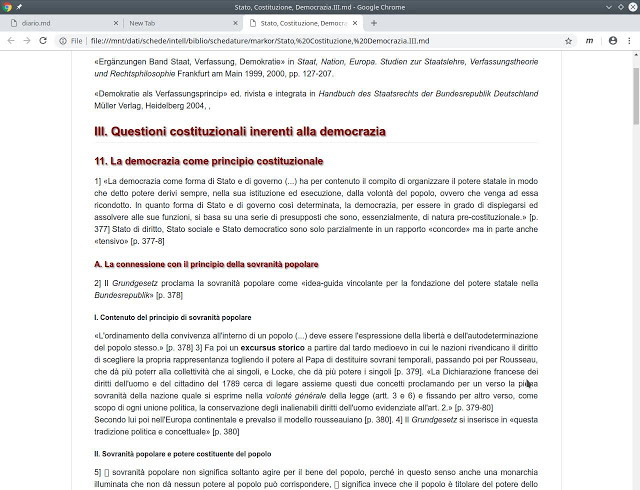
The Markdown format It is a format that guarantees the maximum of graphic rendering with the minimum of code. Why is this important?
A rich graphic rendering, on the one hand, is a value because the things that are written (and then they must be correctly readable) do not all have the same importance. And, on the other hand, the minimal use of the code helps to reduce the size of the file, occupying as little space as possible on the device. Moreover, Markdown helps also to modify directly and easily the code, since it is an extremely “clean” code and very similar to its graphic rendering.
titles
A title must hit more than the body of the text. And a main title must hit more than secondary titles. A way to do this is a different size of characters. Markdown can do this.
the TOC
The use of titles is also useful for “browsing” quickly in a document, jumping from one title to another, without having to flow the whole body of the text. A good text viewer is able to provide a TOC (Table of Content) which allows you to browse quickly between the parts of the document (characterized by higher or lesser level titles).
text formatting
But the body of the text is also important to highlight what is most important from what is less: bold and italics are ways to do it.
blockquotes
Then it is good to be able to distinguish between what the author of the document and the blocks of text said by other authors (i.e. long citations) writes, and for this there is the blockquote, which is good is also graphically distinct from the rest of the body of the text.